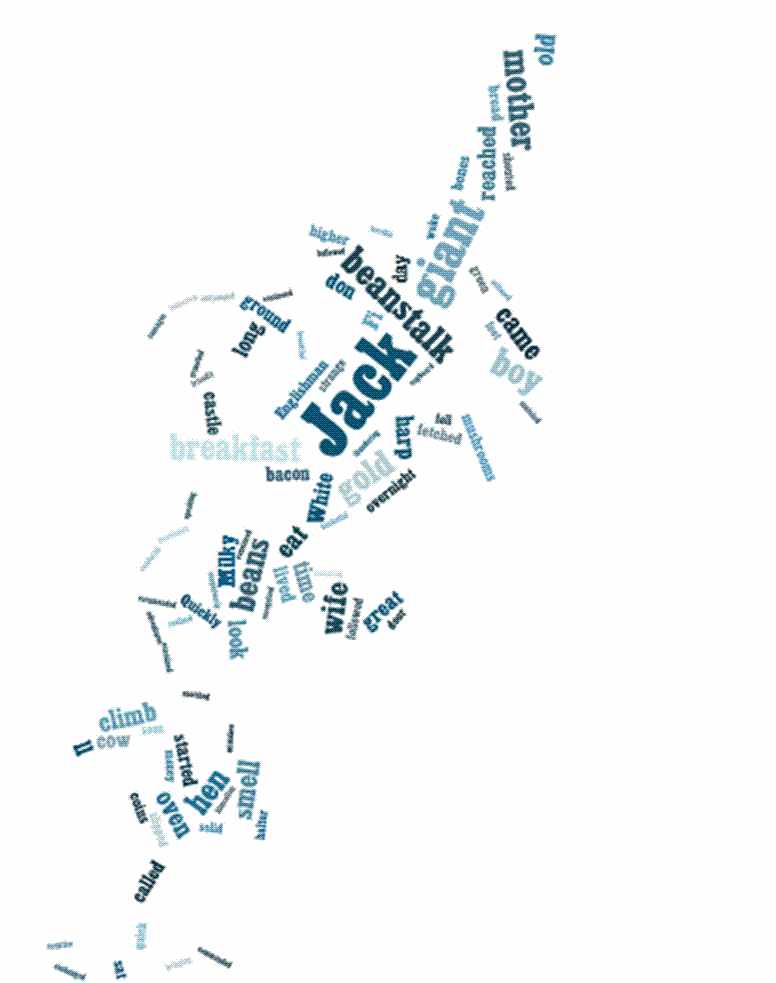
As a writing assignment, my students took traditional fairy tales and wrote in the point of view of the villain from the fairy tale they selected. They added these as "letter to the editor" for the articles they were writing. Also, to add to their creativity, we took the tales (stories) and randomized the words to create symbols for each fairy tale. I'm posting a few examples of the images.
Monday, February 28, 2011



Friday, February 25, 2011
Kids Encyclopedia
Kidipede is a kids encyclopedia. A great History and Science resource for kids. There are teacher's guides to help on how to use the site with your students.
http://www.historyforkids.org/
Wednesday, February 23, 2011
Pictures for Projects--FREE
When teaching about copyright we talk about what public domain is. One of several sites that I mention is ookaboo. This site offers free pictures of everything on Earth.
http://ookaboo.com/o/pictures/
Another site to try is http://pics4learning.com/
Students can use these pictures on web sites and for classwork: It is copyright-friendly for anyone to use.
http://ookaboo.com/o/pictures/
Another site to try is http://pics4learning.com/
Students can use these pictures on web sites and for classwork: It is copyright-friendly for anyone to use.
Tuesday, February 22, 2011
Funbrain - - - Educational Games, Books and Comics
Funbrain is a site that helps kids develop their math, literacy and problem solving skills. This site offers free educational games, online books and comics for students from K-8. Just click on the image and it will take you to lots of interactive learning.
Just click on the image and it will take you to lots of interactive learning.
Wednesday, February 9, 2011
Randomizing Words--Students Create
Who is St. Valentine?

Describe Mom and Dad....

 My students are currently working on adding words to various images to create custom shapes. The randomized word work is from http://www.wordle.net/
Friday, February 4, 2011
Virtual Posters .... Glogster
Virtual Posters that can be integrated in any subject area. What an amazing way to introduce writing and creativity!!! I introduced Glogster to my students this year. Once I showed them the basic tools, I told them to go home and play with it. I asked them to create 3 posters on whatever they wanted. It was important that I allowed this practice because it would have been very difficult for them to produce an assignment for me right away. I wanted them to enjoy glogging. After a couple of weeks of practicing, They will create a poster for Social Studies. Below is an example from one of my students. It was his first attempt: He even linked two videos!!!
Thursday, February 3, 2011
Create a Graph
 We use Excel to make a graph....it can be a challenging task for young children. This was recommended by a friend, and I like it. It is reminiscent to Excel, such as step by step tabs, which eventually allow anyone to use Excel without difficulty. Very simple to: produce graphs, download and print.
 Just click on the image.
Sunday, January 16, 2011
Pete's Power Point Lessons and Games

Free presentations in powerpoint format & Free games for kids on themes and topics.
Saturday, January 15, 2011

Friday, January 14, 2011

Thursday, January 13, 2011
Media Awareness Network
Media Awareness is a great site where students can become better informed about using the Internet. They learn about stereotypes, hate, violence and information privacy through interactive play. Browse the website and see how these educational resources can enhance lessons. I used Privacy Playground and Cybersense and Nonesense on this site with my class and I found that the games provided my students the skill to evaluate information. The students were able to critically analyze how negative decisions affect them. http://www.media-awareness.ca/english/games/index.cfm
Wednesday, November 24, 2010
Interactive Smartboard Website
Smart Technology has interactive lessons that are teacher created that can be used on the smart board. http://exchange.smarttech.com/search.html?m=01 (United States material) http://exchange.smarttech.com/#tab=o (Canadian material) http://education.smarttech.com/ste/en-US/ED+Resource/Lesson+Activities/default.htm Increases student and teacher motivation.
Monday, October 25, 2010
Smartboard interactive lessons
Sometimes it is hard to create your own lessons. Thanks Mario for recommending these sites. http://www1.center.k12.mo.us/edtech/resources/SBsites.htm http://eduscapes.com/sessions/smartboard/
Sunday, October 24, 2010
Book list for focus subjects
Below is a link with a list of books that will support particular subjects (literacy strategies). This is a great site. www.fcrta.net/PAGES/resources.html#view
Tuesday, October 12, 2010


Monday, October 11, 2010
Celebrities reading stories online
A program from the Screen Actors Guild Foundation; an online streaming of story books read by celebrities. http://www.storylineonline.net/ Thanks Mario.
Thanks Mario.
Monday, September 13, 2010
More Stories


http://www.loudlit.org/ for older reads and literature
http://www.childrenstory.info/ Children's Bible stories read on line
Classical books or Bible stories, a great way to have students listen to stories.
Classical books or Bible stories, a great way to have students listen to stories.
Thursday, July 8, 2010
Listen to Books Online
 If you are looking for some pre-recorded books read by volunteers, you can visit the following sites.
Chapter e-books for kids and teenagers:
For older students: http://www.tumblebooks.com/tumblereadable/home.asp
Online animated talking picture books for young students:
http://www.tumblebooks.com/library/asp/customer_login.aspWednesday, June 30, 2010
Films or Documentaries: National Film Board
This website allows you to watch films produced by the National Film Board of Canada OR you can subscribe. You search by genre or related keywords....for example: animated film/children film www.nfb.ca/film http://beta.nfb.ca/
Sunday, June 27, 2010
Short Film and Commercials
I had posted this reflection on Johan's site....I decided to post it to mine as well.
Congratulations to Mr. A. Perotta and students at St. Basil's the Great College School!
It was an evening of showcasing the digital work the students created at Yorkdale Silvercity. It was encourging to see how creative students can be if given the opportunity to express themselves in a manner other than in written form. Students love technology, so why not encourage them to use it to benefit them in education as well? They communicated much more readily than they would have if asked to do so in a format other than this form of media. The commercials and documentaries allowed for their talents to be exhibited. There was no shortage of ideas.
This definitely was a cross curricular activity. Areas such as Social Skills, reading, writing, filming, editing.....to name a few, are worked in making these films and commercials. Most importantly, characteristics such as perseverance, determination and patience were apparent. What a sense of accomplishment! A job well done.
Congratulations to Mr. A. Perotta and students at St. Basil's the Great College School!
It was an evening of showcasing the digital work the students created at Yorkdale Silvercity. It was encourging to see how creative students can be if given the opportunity to express themselves in a manner other than in written form. Students love technology, so why not encourage them to use it to benefit them in education as well? They communicated much more readily than they would have if asked to do so in a format other than this form of media. The commercials and documentaries allowed for their talents to be exhibited. There was no shortage of ideas.
This definitely was a cross curricular activity. Areas such as Social Skills, reading, writing, filming, editing.....to name a few, are worked in making these films and commercials. Most importantly, characteristics such as perseverance, determination and patience were apparent. What a sense of accomplishment! A job well done.
Subscribe to:
Posts (Atom)