Showing posts with label Coding. Show all posts

Saturday, July 1, 2017

Canada Learning Code ---- WE WON

On October 7, 2016, was the launch of Canada Learning Code. Canada Learning Code Week was from June 1-8, 2017.  

Canadians were invited to gather in schools or community places to code. Canada Learning Code wish to empower youth to learn technical skills where they can be active participants in the digital age. Canadians were invited to learn about and celebrate the history of Canada and to showcase their learning through coding a game using Scratch from MIT.  Lessons were uploaded for teachers to help guide the students to bring their perspective to telling the Canadian history through code.  Canada Learn was also running a contest sponsored by Google Canada. 

My students were excited because they had just started to learn how to code and they wanted to see what they can do without anyone helping them.  Each group of partners selected a lesson that was posted on the Canada Learning Code site and they personalized their learning. The teams worked collaboratively and created their games.

I was proud of the work the students did in such a short time. 

On June 30, 2017,  I received wonderful news that my class won the #Canada150 contest. We won Chromebooks for my class from Google.

The winning game was from Kevin and Gabriela
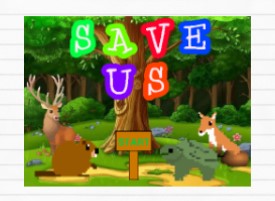
 Kevin & Gabriela Scratch Game

Below is my class studio with all the submitted games. To "All", a job well done!!
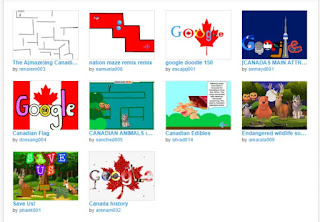
 All Games on Scratch


Click below for the announcement and to view the Digital Scrapbook.
 Video games made using Scratch

Thank you to @CanadaLearningCode and @Google!

Thursday, May 25, 2017

Coding Quest

This year I participated in The Learning Partnership Program: Coding Quest. The students in my grade 5 class were tasked to design and build their own computer game, using critical thinking, creativity, problem-solving, as well as science, technology, engineering and math skills. Through collaboration, the students coded their game using Scratch.

Two students from my class, Michael and Dahlia and myself, were invited to the Learning Partnership’s annual Champions of Public Education Tribute Celebration which was held at the Metro Toronto Convention Centre.

This Tribute Celebration is the primary fundraising event for The Learning Partnership, celebrating and honouring business leaders, organizations and educators who champion public education in Canada. Many from the corporate world, our staff, students and the Minister of Education attended to witness students representing their respective school board for other TLP initiatives and my Dahlia and Michael as they represented TCDSB in CodingQuest. (Video below.)

My 10 year old students began their journey with Code.org (hour of code) where they completed a series of courses to help them understand how to code. We then transitioned into Scratch from mit end of March. These artifacts were their products on Conservation of Energy, where science, math, Media Literacy, Art and Writing is seen. 

Below is the link to the Studio where you will find the short games the students created. 

Click on each game image below or the link.

https://scratch.mit.edu/studios/4081414/


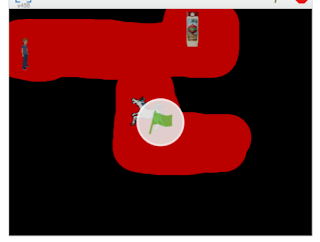
 Ducks Need Jobs
By: Michael, Dahlia and Karlesha


By: Darien, Alejandro V. and Gabriela


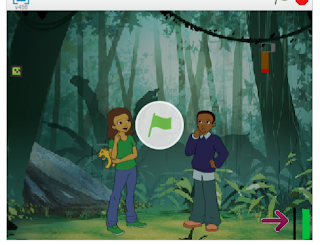
 In a Lost World
By: Diego, Abigail and Katherine

 Jungle Survival
By: Jose, Leticia and Kyra

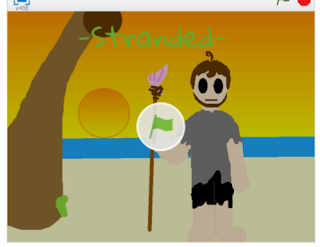
 Stranded
By: Kevin, Isabella and David

Interview from The Learning Partnership Dinner where Dahlia and Michael are interviewed about their experience on Coding.


Wednesday, May 10, 2017

Coding in my classroom

My students worked hard the last couple of months on their Coding projects.  


A group of my kids went to an "Arcade" May 16 to showcase the work they completed along with other coders in Downtown Toronto.


Wednesday, September 9, 2015

Google For Education


Google for Education offers programs for teachers and students in order to inspire, create and innovate from K-12.  Visit the site for more information to select resources and learn more.

Tuesday, October 7, 2014

Code

Give students the opportunity to learn computer science.  There are courses that consists of about 20 lessons that are available that can be used as young as kindergarten.  These tutorials are self paced and self guided.
 Create with code

Wednesday, May 14, 2014

Scratch... coding

Young people are learning programming languages from the earliest ages and up. There are many tools, web sites and apps that teach young people how to program using the Java programming language, and Java-based languages developed for ease of use.

One such site is Learn Scratch .  This site has self paced tutorial on programming for ages 5-15.  There are teacher lesson plans available in PDF.

Wednesday, December 18, 2013

Scratch

Learn how to use Scratch.  This site offers self paced tutorial on programming using Scratch.  There are teacher lesson plans available in PDF. It is for ages 5-15.  
Scratch

Friday, July 26, 2013

Programming and Coding Apps.... Bee-Bot, Cargo-Bot and Hopscotch

(Description on itunes)
The new Bee-Bot App from TTS Group has been developed based on our well-loved, award-winning Bee-Bot floor robot. The app makes use of Bee-Bot's keypad functionality and enables children to improve their skills in directional language and programming through sequences of forwards, backwards, left and right 90 degree turns. 


Cargo-Bot is the first game programmed entirely on iPad® using Codea™  Cargo-Bot is a puzzle game where you teach a robot how to move crate


Hopscotch allows kids to create their own games and animations.   


These apps are free to download.                        

Monday, July 22, 2013

Scratch

Scratch is a visual programming environment.  Students learn how to create their own stories, animate and create games; they learn how to code.  They can work collaboratively or on their own.  There is an online community where you can share and remix projects.  It is Free.

Ted talks video about Coding

Sunday, April 21, 2013

Kodu Game Lab...... Game Creation

What I found interesting about Kodu Game Lab is that students can create games without the worry of having design or programming skills.  This is good for creativity, collaboration and problem solving.

Teachers and students can take part in a Skype Lesson
labshttps://education.skype.com/projects/2428-microsoft-kodu-game-labs

Unfortunately it is not a web based program but a download.
http://www.microsoft.com/en-ca/download/details.aspx?id=10056

This is a Youtube video that demonstrates how to use program in 1 of 4 tutorials. You can go to youtube to  view all 4 tutorials. http://www.youtube.com/watch?v=jg_jeN5AcPs