The following is a Stop Motion Animation created by one of my colleagues, Jamie.
Tuesday, July 9, 2013
Monday, July 8, 2013
Stop Motion Animation
Stop Motion animation is a method to physically manipulate an object to make it appear that it is moving on its own.
Click on link to access some resources, tutorials and ideas for creating Stop Motion Animation for your classroom. These resources will demonstrate how you can use Movie Maker, iMovie, digital cameras, iPad, or any smartphone to accomplish this task.
Stop Motion Animation Workshop Resources
Click on link to access some resources, tutorials and ideas for creating Stop Motion Animation for your classroom. These resources will demonstrate how you can use Movie Maker, iMovie, digital cameras, iPad, or any smartphone to accomplish this task.
Stop Motion Animation Workshop Resources
Saturday, July 6, 2013
Edutopia Learning Resource

These are PDF documents that the website offers:
- How to Thank a Teacher
- Mobile Devices for Learning: What You Need to Know
- Six Tips for Brain-Based Learning
- Ten Tips for Classroom Management
- Top Ten Tips for Teaching with New Media
- Summer Rejuvenation Guide
- Top Ten Tips for Assessing Project-Based learning
- Home-to-School Resource Guide
- Think Green Guide
A Parent's Guide to 21st-Century Learning
The website “Edutopia” has many free
guides and downloads for educators and parents. One such guide is A Parent’s
Guide to 21st-Century Learning”. It is a guide to help parents
understand what collaboration, creativity, communication and critical thinking
would look like in the classroom.
Register for a free account in order to access the PDF download.
http://www.edutopia.org/parent-21st-century-learning-resource-guide
Register for a free account in order to access the PDF download.
http://www.edutopia.org/parent-21st-century-learning-resource-guide

Monday, June 24, 2013
21st Century Learning
The Next Lesson and The Third Teacher
The board that I work for has changed their IT department
name to 21st Century Learning and AICT. Their focus now is not only
on the delivery of software but in understanding of 21st Century
teaching and learning.
The members are focusing on the principles of the NeXtLesson
and the Third Teacher.
Teachers are presented with a guide to assist them on The
Next Lesson which focuses in
- knowledge construction,
- Collaboration,
- Self-Regulation,
- Real-World Problem Solving & Innovation,
- Use of ICT for learning
- Skilled communication.
This framework will help educators “identify and understand the opportunities
that learning activities give students “in order to build skills that will
better prepare learners for their future in the 21st Century.
The learning is done in partners.
Click on the image of the guide to read about how to implement 21st century learning in your classroom:

Partners in Learning Network will assist you to connect with other teachers and to a database of 21st Century activities. http://www.pil-network.com/Resources/LearningActivities
The third teacher is the environment the students are in, in order to collaborate, share, and work together. Changing how students learn.
From Capacity Building Series, it outlines what the Third Teacher is and the following video will demonstrate what it would look like:
I had the opportunity to attend a Symposium on 21st Century Learning last December and during my course in January to delve through what the NextLesson is and how to create one with the assistance of my instructor Mario.
Friday, June 21, 2013
Wednesday, June 19, 2013
Book Trailers
The Grade 4 students completed their Book Trailers assignment. They unanimously chose to use the Movie Maker tool to publish their work. After teaching them how to use the basic tools in Movie Maker, they were able to independently work through the program. The students helped each other when they needed reminders. They used Creative Commons pictures and music. I also had students that preferred to draw their own pictures and use voice over instead of music. Here are some Completed Book Trailers:
Friday, June 14, 2013


Thursday, June 13, 2013
Padlet ideas

● Creating
a Virtual Wall & Engaging Your Students Blog Post http://catlintucker.com/2013/06/padlet-create-a-virtual-wall-engage-your-students/
● Lesson
lhttp://blog.padlet.com/2013/03/how-to-use-padletcom-in-classroom.html
From this website I found a list of ideas on how to use Padlet:
http://saucontech.blogspot.ca/
From this website I found a list of ideas on how to use Padlet:
http://saucontech.blogspot.ca/
○
Create a timeline
with videos and images
○
KWL activity. Create
one wall for what students know, one for what they want to know, and one at the
end of the unit for what they learned
○
Students to comment
on videos that they are watching in class
○
Assess student
understanding at the end of a chapter/unit
○
Use as a way for
students to brainstorm in a group on topics
○
A great place to
visually collect group research
○
Create posters on
people/places/topics.
Tuesday, June 11, 2013
Symbaloo ........... Bookmarking
Symbaloo lets you gather web links and copy them into a webmix. You can access your bookmarks from any computer because it is on the web. Educators can use Symbaloo to create a resource for students to access without difficulty and alleviate the worry typing the long URLs correctly.
I was introduced to Symbaloo back in February and found it to be very convenient and a great way to share resources with other colleagues. Thank you to Mario for sharing this on line tool.
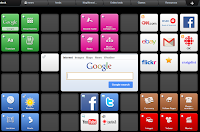
I was introduced to Symbaloo back in February and found it to be very convenient and a great way to share resources with other colleagues. Thank you to Mario for sharing this on line tool.
Sunday, June 9, 2013
33 Ways To Use Blogs In The Classroom
Click on link to read a list on using Blogs in the classroom.
http://web20intheclassroom.blogspot.ca/2008/10/ways-to-use-blogs-in-your-classroom-and.html
http://web20intheclassroom.blogspot.ca/2008/10/ways-to-use-blogs-in-your-classroom-and.html
Tuesday, May 21, 2013
Zite ..... Keep up with current issues
I downloaded the Zite app to help me search for articles that are of interest to me. This handy tool allows me to keep up to date with current issues.


For Android
For IOS
Monday, May 13, 2013
The Digital Classroom
Online Universities.com Blog has the following Infograph that I found to be interesting.


Sunday, May 12, 2013
Know The Net ...... powered by nominet
Know The Net is an information site that will guide you on surfing the net safely. Below is an inforgraph on 10 Digital Citizenship Tips From Your Mother. http://www.knowthenet.org.uk/

Knowthenet presents Manners Matter the online Netiquette Do's and Don'ts infographic.
Friday, May 10, 2013
Today's Meet
Today's Meet is a back channel for class discussions without student disruption. They can connect with the audience in real time. It is similar to Twitter but not made public. The teacher provides a link to the room that was created so that students can begin a discussion.
Monday, May 6, 2013
ThingLink

Thing Ling Education is free for sign up. http://www.thinglink.com/action/store/education
What is ThingLink Youtube Tutorial.
Sunday, May 5, 2013
Nearpod Free App
I came across the Nearpod app. I haven't tried it yet, but I read many positive reviews for using this app in the classroom.
What is Nearpod?
On the itunes preview page it states that "Nearpod enables teachers to use their ipads to manage content on student iPads, iPhones or iPods. It combines presentations, collaboration, and real-time assessment tools."
Teachers share their slides with students and are able to control the pace of the lesson and monitor student responses.
 1. Teachers can create content using various features available.
2. Share content with students to mobile devices.
3. Multimedia content engages students.
4. Teachers can see all student activity in real time.
http://www.nearpod.com/how-it-works/ or https://itunes.apple.com/us/app/nearpod/id523540409?mt=8
What is Nearpod?
On the itunes preview page it states that "Nearpod enables teachers to use their ipads to manage content on student iPads, iPhones or iPods. It combines presentations, collaboration, and real-time assessment tools."
Teachers share their slides with students and are able to control the pace of the lesson and monitor student responses.

2. Share content with students to mobile devices.
3. Multimedia content engages students.
4. Teachers can see all student activity in real time.
http://www.nearpod.com/how-it-works/ or https://itunes.apple.com/us/app/nearpod/id523540409?mt=8
Saturday, May 4, 2013
Sound, Earth and Animals...... Science Apps
My daughter showed me the App, Sound Uncovered which helps you discover, explore and experiment with sound. This interactive app is great to use with your sound unit. This Free App was developed by Exploratorium.
https://itunes.apple.com/us/app/sound-uncovered/id598835017?mt=8
EarthViewer is an App that helps you explore the science of earth's history. Supporting materials included are video tours and classroom ideas.
https://itunes.apple.com/us/app/earthviewer/id590208430?mt=8
WWF Together is developed by World Wildlife Fund. It consists of animal stories with activities, videos, etc. https://itunes.apple.com/us/app/wwf-together/id581920331?mt=8
https://itunes.apple.com/us/app/sound-uncovered/id598835017?mt=8
EarthViewer is an App that helps you explore the science of earth's history. Supporting materials included are video tours and classroom ideas.
https://itunes.apple.com/us/app/earthviewer/id590208430?mt=8
WWF Together is developed by World Wildlife Fund. It consists of animal stories with activities, videos, etc. https://itunes.apple.com/us/app/wwf-together/id581920331?mt=8
Friday, May 3, 2013
View PowerPoint from an iPad
My daughter purchased Quick Office app to do PowerPoint presentations from her iPad. I decided to search around for an app that can produce PowerPoint presentations for Free. Slideshark is such an app that a PowerPoint can be shown from an iPad, iPhone and iPod touch. https://www.slideshark.com/
Wednesday, May 1, 2013
Text Message Generator


Subscribe to:
Posts (Atom)