
Tuesday, June 6, 2017
Crossword Puzzle Maker
Puzzle maker is a completely free tool to generate puzzles. Students and teachers can use this puzzle maker to create simple puzzles.
Wednesday, May 31, 2017
Thursday, May 25, 2017
Coding Quest
This year I participated in The Learning Partnership Program: Coding Quest. The students in my grade 5 class were tasked to design and build their own computer game, using critical thinking, creativity, problem-solving, as well as science, technology, engineering and math skills. Through collaboration, the students coded their game using Scratch.
Two students from my class, Michael and Dahlia and myself, were invited to the Learning Partnership’s annual Champions of Public Education Tribute Celebration which was held at the Metro Toronto Convention Centre.
This Tribute Celebration is the primary fundraising event for The Learning Partnership, celebrating and honouring business leaders, organizations and educators who champion public education in Canada. Many from the corporate world, our staff, students and the Minister of Education attended to witness students representing their respective school board for other TLP initiatives and my Dahlia and Michael as they represented TCDSB in CodingQuest. (Video below.)
My 10 year old students began their journey with Code.org (hour of code) where they completed a series of courses to help them understand how to code. We then transitioned into Scratch from mit end of March. These artifacts were their products on Conservation of Energy, where science, math, Media Literacy, Art and Writing is seen.
My 10 year old students began their journey with Code.org (hour of code) where they completed a series of courses to help them understand how to code. We then transitioned into Scratch from mit end of March. These artifacts were their products on Conservation of Energy, where science, math, Media Literacy, Art and Writing is seen.
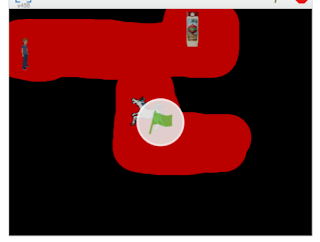
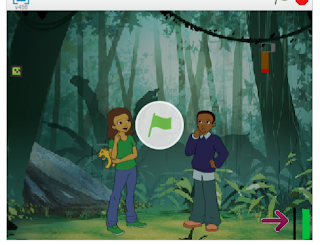
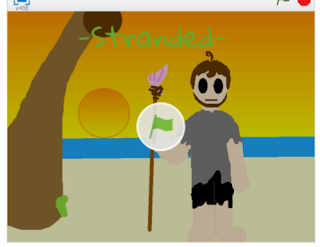
Below is the link to the Studio where you will find the short games the students created.
Click on each game image below or the link.
https://scratch.mit.edu/studios/4081414/


Wednesday, May 10, 2017
Coding in my classroom
My students worked hard the last couple of months on their Coding projects.


A group of my kids went to an "Arcade" May 16 to showcase the work they completed along with other coders in Downtown Toronto.


Tuesday, April 4, 2017
Story Jumper
Story Jumper is a book writing tool where students can create and publish their own book independently or collaboratively. You can use your own photos or the sites art library. Special effects, music and authors voice can be recorded over the work as well.

Monday, March 27, 2017
Chalk / Planboard
Chalk.com or planboardapp.com/ is a suite of online productivity tools for teacher lesson planning and assessment. The teacher can create their lesson plan and ad links to outside resources, embed videos or attach files.
The markbook helps to keep students assessment organized with comments as well as upload artifacts to support assessment.
Watch the following videos to get you started.
There are many youtube tutorials at the following link: Chalk / Planboard
The markbook helps to keep students assessment organized with comments as well as upload artifacts to support assessment.
Watch the following videos to get you started.
There are many youtube tutorials at the following link: Chalk / Planboard
Wednesday, February 22, 2017
Fodey...........Newspaper clip generator
You can make a Newspaper Clip with your own headlines and story.


An online tool students can use to publish newspaper clippings in a creative way. They can demonstrate their ability to write important details in a concise format geared to a specific audience.

An online tool students can use to publish newspaper clippings in a creative way. They can demonstrate their ability to write important details in a concise format geared to a specific audience.
Wednesday, February 8, 2017
Peergrade
With peergrade teachers enable students to grade their peers work.It facilitates peer to peer feedback on word documents and videos. This tool allows for feedback to stay anonymous or it can be disabled.
Wednesday, January 18, 2017
Stop Motion video
Two of my students worked very hard and many hours to story map, and create their own short stop motion video using a digital camera. They handed in a back story and summary of their idea and then they created this video on "perseverance". The students had no background knowledge on the mechanics of creating a video. We watched examples of stop motion videos and discussed copy right and the use of creative commons information to enhance their work. We navigated how to use movie maker, and then I demonstrated how to create their own. The video is a little shaky and could use some editing, but they did well.
This was created about 3 years ago.
This was created about 3 years ago.
Monday, January 16, 2017
Edpuzzle

Edpuzzle is a neat way for teachers to embed videos into their lessons. Select a video, crop it to the section of the video you want for a particular lesson, you can narrate it with your own voice and embed a quiz at any time you wish. Using this tool will make the lesson much more engaging and students can show you their learning. Videos can be added directly into Google Classroom.
Wednesday, January 4, 2017
Kahoot

Tuesday, November 1, 2016
Avatar generators
This is something fun for kids. If they wish to add an avatar to their work, or add an avatar to an online application, there are free, safe avatar makers on line that they can use. Create simple cartoon characters that represent themselves.
Doppelme
Avatar Maker
My Blue Robot
Marvel Create your own Superhero
M&M'S brand character
Doppelme
Avatar Maker
My Blue Robot
Marvel Create your own Superhero
M&M'S brand character
Friday, October 28, 2016
Our Incredible World
A place to learn the natural world and how it functions. It is a place kids can find out how to make the world healthy. It offers free multi media curriculum resources for grades 4-11
There are curriculum based resources on habitats, ecosystems, biodiversity, species-at-risk and invasive species. VVisit the site to learn more and to use it's many lessons.i
Saturday, October 15, 2016
Math is Fun
Math is Fun
I came across this site that my students were able to use interactively. Specifically counting money.
I came across this site that my students were able to use interactively. Specifically counting money.
Friday, October 7, 2016
Wikipedia -Simple
I try to get my students to avoid using wikipedia for the sole reason that it is difficult for some to understand the vocabulary. I share with students websites that can be used for whatever research they have to do but I also share with them "Simple Wikipedia".

Simple Wikipedia is written in basic english with words that can be understood and aims for people trying to learn english .However, it can be used by young children who have difficulty understanding the vocabulary that Wikipedia uses. On the web page itself, there is a search box. Type in what you are searching for.
Tuesday, October 4, 2016
Digital Portfolio - SeeSaw

SeeSaw is a digital portfolio teachers can use to do formative assessment and share what the student is learning with parents on any device. Student learning can be captured in any format and saved. The SeeSaw Basics feature is free for teachers who just want to track work and communicate with parents.
Sunday, September 11, 2016
Instructables and Howtoons
Worth another mention:
Instructables and Howtoons are great websites that one can use ideas to create and build their creations.
There are instructional manuals. These manuals encourage creative problem solving skills.
 At Howtoons, their mission is "to provide engaging content". Using comic format, kids can build things.
This site offers PDF for downloading comics and the site features a content search.
http://www.howtoons.com/

The following link will connect you to instructables. There are downloadable PDFs available.
http://www.instructables.com/id/Toothpick-Bridge-Project/
Instructables and Howtoons are great websites that one can use ideas to create and build their creations.
There are instructional manuals. These manuals encourage creative problem solving skills.

This site offers PDF for downloading comics and the site features a content search.
http://www.howtoons.com/

The following link will connect you to instructables. There are downloadable PDFs available.
http://www.instructables.com/id/Toothpick-Bridge-Project/
Wednesday, August 24, 2016
Interactive Whiteboard Lessons-- ShowMe and Educreations

ShowMe is a whiteboard interactive app. You can record lessons that you create so that students can view them and learn. It is a global community where you can share with anyone in the world. There is also an online website that you can log into to view and share ShowMe lessons created.


Educreations is a whiteboard interactive app and website. You can record lessons that you create so that students can view them and learn. You can import images, documents and webpages. Videos are cloud synced and can be shared with anyone. You can create a class where a student can sign in using a class code.

Wednesday, June 15, 2016
Flubaroo - - assessment Tool add-on for google app
Flubaroo is another add-on for Google Sheets. It is a powerful tool that will grade for you and it will automatically email responses to students. There are many good tutorials on youtube. I embeded just one as an example.
Thursday, March 31, 2016
Rubric Tools for Google Docs
Using Rubrics right in Google for Classroom or Google Docs and Google Forms.
There are 3 rubric tools for Google Docs that are great to use and eliminate paper. These are all add ons.
Visit the site for many other great webinars. http://ti.apps.sparcc.org/
There are 3 rubric tools for Google Docs that are great to use and eliminate paper. These are all add ons.
- OrangeSlice Teacher rubric add on. The grading will be done in google docs.
- docAppender. This add on is for google forms. The Rubric is saved as google forms. The grading is done in forms then put on the document that is graded. .
- Doctopus add on and Goobric chrome extension
Great webinar that details how to use these add ons to help you with assessments.
Visit the site for many other great webinars. http://ti.apps.sparcc.org/
Subscribe to:
Posts (Atom)